How To Open A New Account With Bank Albilad Online
You can now open a new account with Bank Albilad online. Requirements and Activation of Mada Card, Albilad Net, Albilad App.
You can now open a new account with Albilad Bank online without visiting a branch. All you need to do is fill out a digital form and authenticate the account opening request using your Absher username and password. The detailed procedure for opening a new Albilad account online is explained below.
Requirements for Opening a New Bank Albilad Account
The following are the key requirements to open a new account with Bank Al Bilad.
- Valid Iqama
- Valid Saudi Mobile Number
- Email Address
- National Address Registration
Albilad bank account opening online
Launch the Bank Albilad website’s account opening page: https://www.bankalbilad.com/en/personal/accounts/Pages/digital.aspx
Click on the “Open Your Account Now!” button.
Click on the “Get Started”.
On the “Things, You Need” page, tick on “I am the actual beneficiary of the account.”
Click on “Next”.
Fill the digital form using your details.
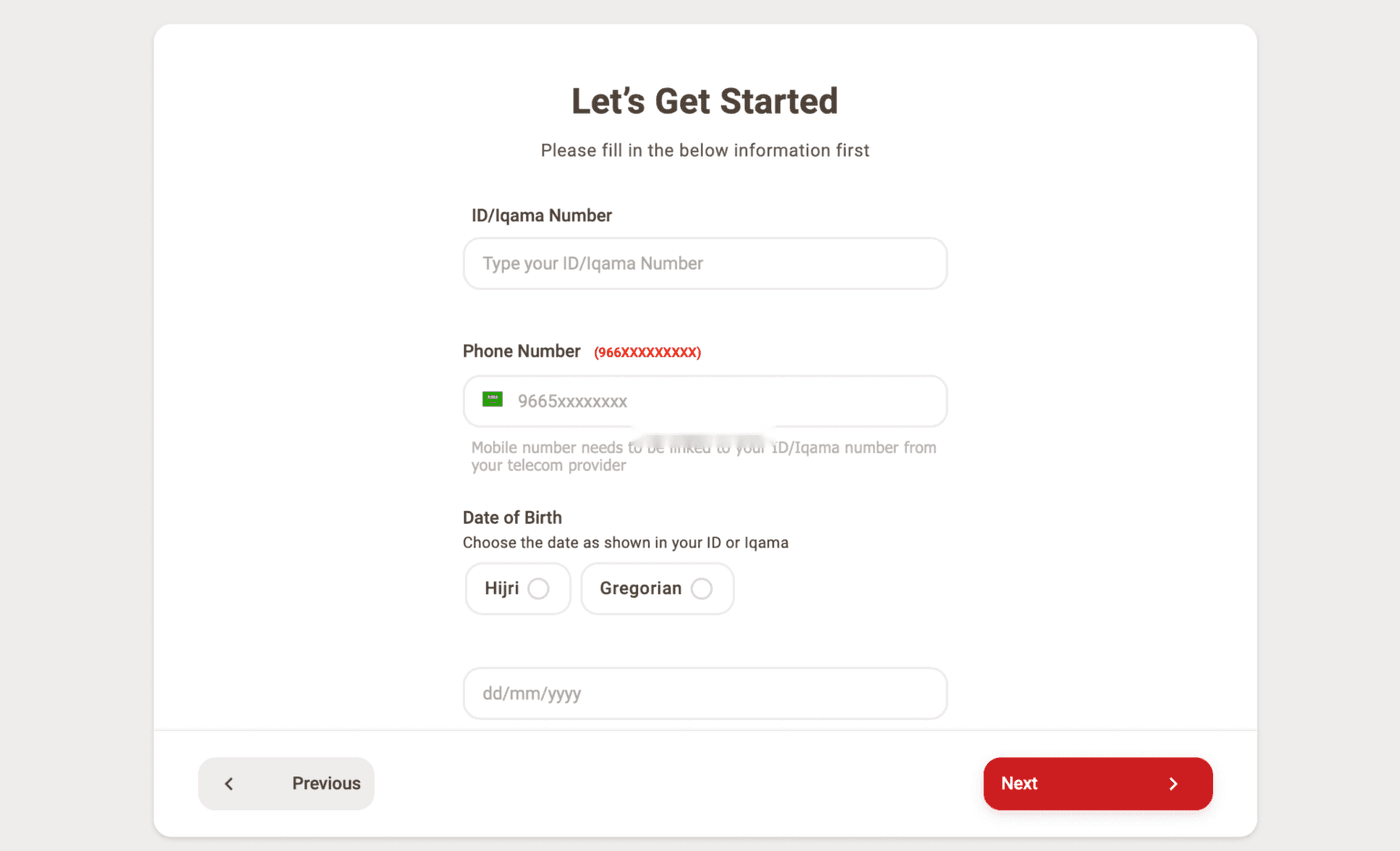
In the final stage, you will have to authenticate the account opening request using your Absher credentials through the IAM. If you don’t have an Absher account, you can do this by visiting the nearest Bank Albilad ATM by giving your fingerprint.
Your account will open instantly.
Related: How to open a new account with SNB AlAhli Bank
How to activate your Albilad Bank’s net banking service
You can activate your Albilad net account by following some simple steps:
After your account is successfully opened, you will receive an SMS containing a link to register on Albilad net. Simply click on the link or Click Here and follow these simple steps:
- Click on Register for Albilad Net Tap
- Enter your Iqama number and mobile number
- Enter the OTP sent to your registered mobile number
- Choose a username and password
- Enter the OTP sent to your registered mobile number
- Your Albilad net account will activate immediately
Similar: How to open a new account with Al Rajhi Bank online
How to Request a Mada Card Online After Opening an Account
You can order your Mada card via the “Albilad app” or “Albilad net” after opening your account online, and below is the procedure.
- Log in to the “Albilad App” or “Albilad Net.”
- Create New PIN for Mada virtual card and click on the “Set Card PIN“.
- Go to “My Cards” in the main menu and choose the “Mada Card“.
- Click on the picture of the Mada virtual card.
- Select “Request Physical Mada Card“.
- Click “Confirm”.
Within seven business days, the card will be issued and delivered to you. Related: How to apply for credit cards in Saudi Arabia
How to Activate Bank Albilad Mada Card
You can activate your Mada card by visiting the nearest Bank Albilad ATM or via Albilad Net.
- Log in to the “Albilad Net” and select “Cards” from the main menu. From there, click on the “Debit Card“.
- Click on the “Activate Card” and fill the required information.
- Now, click on “Proceed”. Next, click on the “Confirm”.
- Enter the OTP in its field. You would have received this on your registered mobile number via SMS.
- Upon the activation, you’ll receive a confirmation message.
More in this guide
- Jawazat Clarifies the Conditions for Electronic Authorization through Absher. — Saudi Jawazat clarifies the conditions and services available under electronic authorization through the Absher platform
- Top-Selling Cars in Saudi Arabia in Q1 2026 — Toyota Yaris led Saudi Arabia’s best-selling cars in Q1 2026, while Toyota remained the Kingdom’s top car brand
- Saudi Arabia Raises BNPL Limit to SAR 10,000 — But Not Everyone Will Get It — Saudi Arabia has raised the maximum BNPL financing limit to SAR 10,000, but not every customer will qualify for the full amount
- How to Correct Your Name on Iqama: A Step-by-Step Guide — Learn how to easily correct or change your name on your Iqama with our step-by-step guide, whether the error is in Arabic or English
- How to Change Mobile Number in SNB AlAhli Bank — Here is How to Change your Registered Mobile Number with your SNB AlAhli Bank Account via SNB Self Service Kiosk or SNB ATM
- Iqama Red Green Check: Nitaqat Status 2026 — See what each color means in 2026