How to Correct Your Name on Iqama: A Step-by-Step Guide
Learn how to easily correct or change your name on your Iqama with our step-by-step guide, whether the error is in Arabic or English.
Finding a mistake in your name on your Iqama can be frustrating, but fixing it is simpler than you might think. This guide is here to walk you through the straightforward steps to correct your name, whether the error is in its Arabic or English version. With clear instructions for both you and your employer or sponsor, correcting your name on your Iqama will be hassle-free.
Correcting Errors in Your Arabic Name
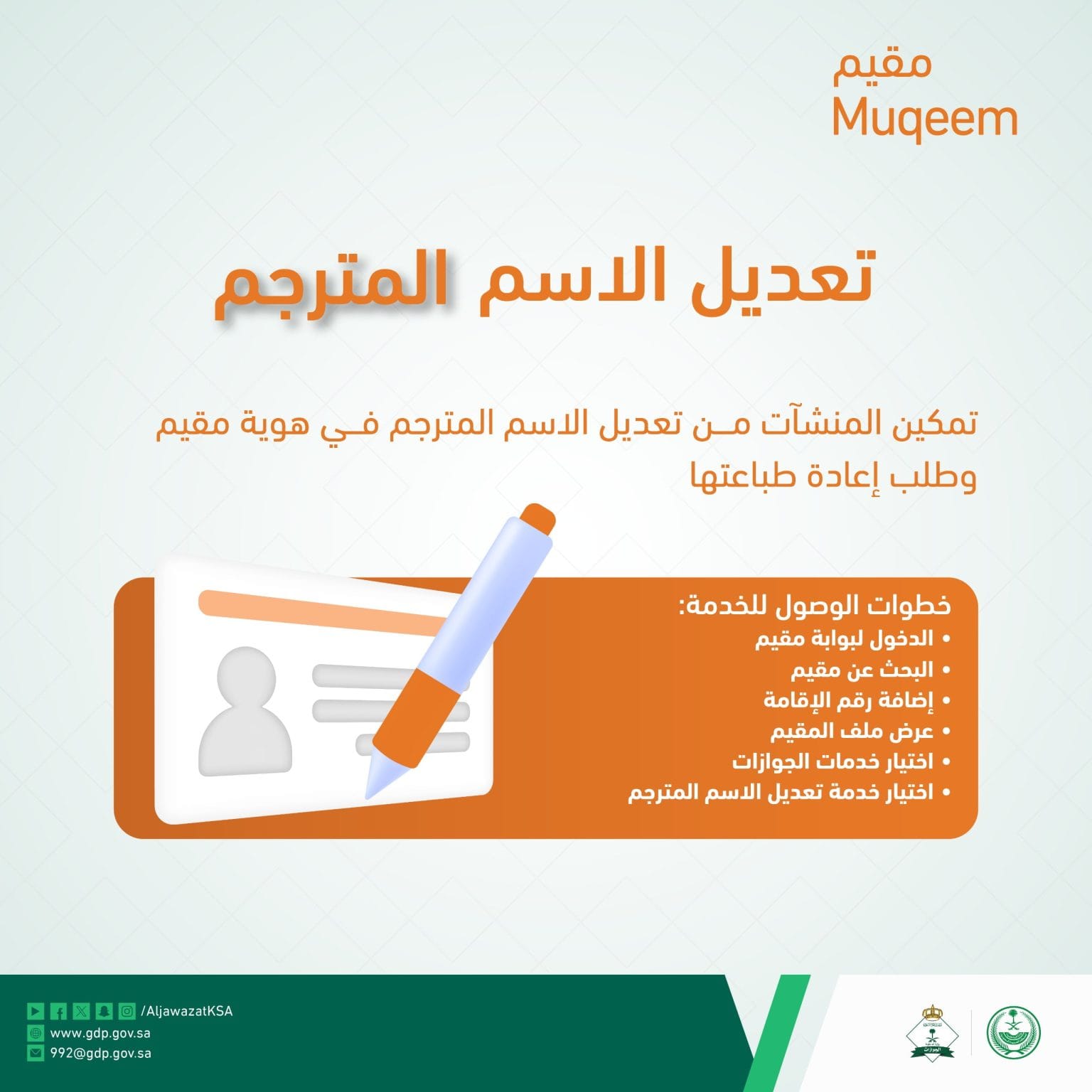
Sometimes, due to typing errors or other mistakes, your name might be printed incorrectly in Arabic on your Iqama. Fortunately, your employer can correct this mistake through their Muqeem account. Here’s what they need to do:
- Log In: The first step is for your employer to log into the Muqeem portal.
- Go to Foreign Workers Section: Once logged in, they should go to the section dedicated to foreign workers.
- Add Iqama Number: Your employer will add the Iqama number that requires correction.
- Open Employee’s File: After finding your Iqama, they will open your employee file.
- Access Passport Directorate (Javazat) Section: Within your file, there’s a section for the Passport Directorate, also known as Javazat, which needs to be opened.
- Select Edit Option: In the Javazat section, they will find and select the option to edit your name.
- Enter Correct Name and Submit: The final step involves entering the correct spelling of your name and submitting the changes.
Correcting Errors in Your English Name
If the error lies within the English spelling of your name on the Iqama, the correction process involves a visit to the Jawazat office. Here’s how your sponsor or their authorized agent can help correct it:
- Book an Appointment: The first step is to book an appointment with Jawazat. This can be done through the Absher platform, which is designed to facilitate such administrative tasks.
- Visit the Jawazat Office: On the date of the appointment, your sponsor or their authorized agent must visit the Jawazat office. It’s important to bring all original documents required for verification.
- Instant Correction: Jawazat officials will verify the documents and correct the name on your Iqama instantly.
Final Thoughts
In conclusion, correcting a name error on your Iqama is a straightforward process, whether the mistake is in the Arabic or English spelling. By following the steps outlined in this guide, either through your employer via his Muqeem account or through a visit to the Jawazat office by your sponsor, you can ensure your Iqama accurately reflects your correct name. Thanks for reading!
More in this guide
- Jawazat Clarifies the Conditions for Electronic Authorization through Absher. — Saudi Jawazat clarifies the conditions and services available under electronic authorization through the Absher platform
- Top-Selling Cars in Saudi Arabia in Q1 2026 — Toyota Yaris led Saudi Arabia’s best-selling cars in Q1 2026, while Toyota remained the Kingdom’s top car brand
- Saudi Arabia Raises BNPL Limit to SAR 10,000 — But Not Everyone Will Get It — Saudi Arabia has raised the maximum BNPL financing limit to SAR 10,000, but not every customer will qualify for the full amount
- How to Change Mobile Number in SNB AlAhli Bank — Here is How to Change your Registered Mobile Number with your SNB AlAhli Bank Account via SNB Self Service Kiosk or SNB ATM
- Iqama Red Green Check: Nitaqat Status 2026 — See what each color means in 2026
- How to Check Your Iqama Expiry Date and Validity Online — Learn how to check your Saudi Iqama expiry date and validity online using the Absher app, Absher website, or the HRSD portal without an account