How to Check Iqama Status Using Border Number in Saudi Arabia
Check Iqama status by border number in Saudi Arabia and learn how to confirm issuance, validity and related details online.
If you’re new to Saudi Arabia and want to check your Iqama status or find your Iqama number without an Absher account, you can do so using your border number. The Ministry of Human Resources and Social Development (MHRSD) online portal allows you to verify your Iqama issuance status and validity using your border number.
What Is a Border Number?
A border number is a unique 10-digit identification number issued by the General Directorate of Passports (Jawazat) to every expatriate or visitor entering Saudi Arabia on a new visa.
The border number serves as your temporary reference for various government services while your Iqama is being processed.
If you don’t know your border number, you can retrieve it through the Absher platform’s Query Border Number service without creating an account. For detailed instructions, see our guide: How to Find Your Border Number on Absher Without Login.
How to Check Iqama Status with a Border Number
You can check your Iqama status through the Ministry of Human Resources and Social Development (MHRSD) inquiry portal. The service displays your Iqama number, issuance status, and validity details.
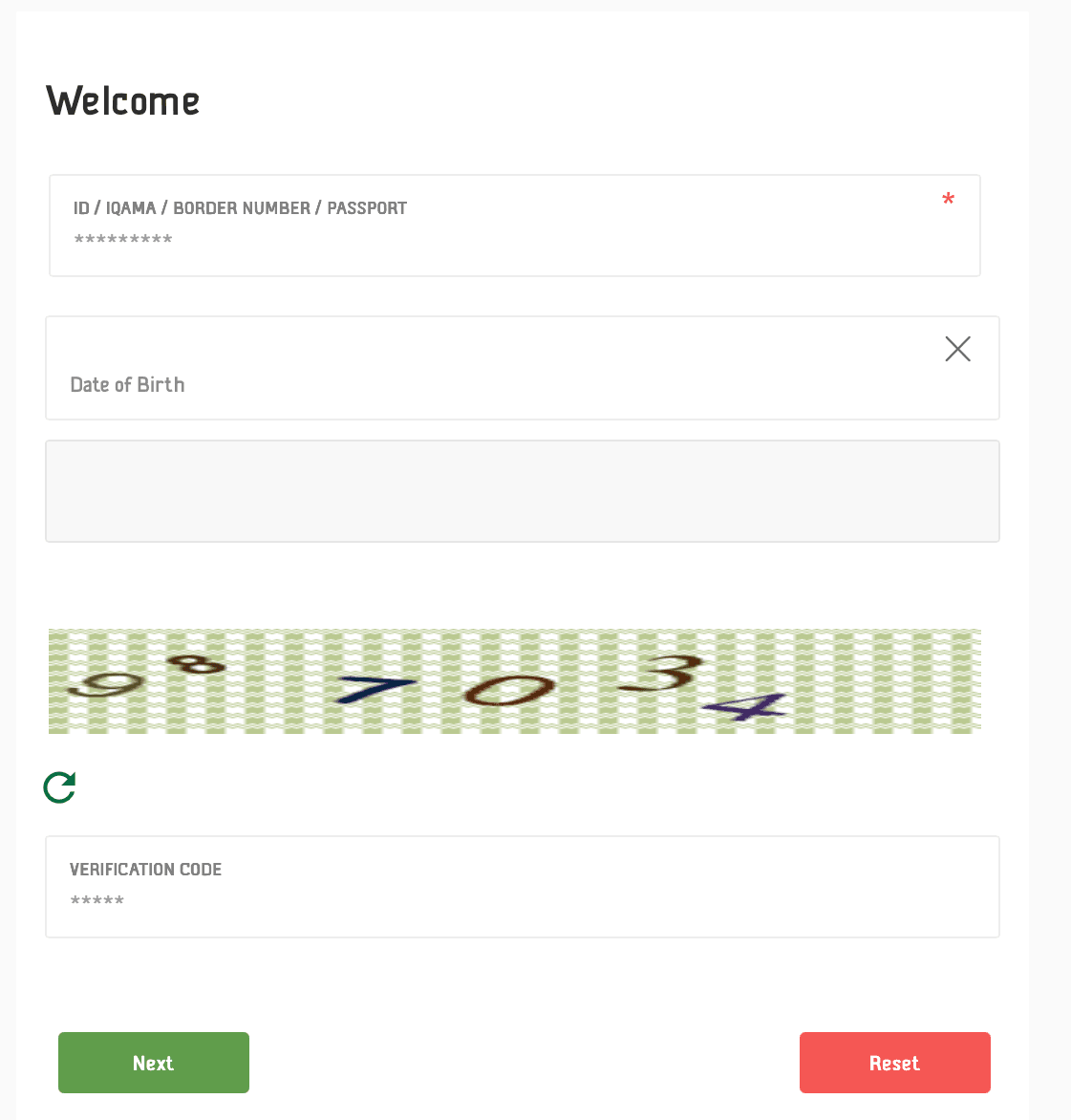
- Go to the MHRSD website.
- Tick the consent checkbox and click the green button to continue.
- If the page opens in Arabic, change the language to English using the language selector at the top of the page.
- Enter your 10-digit border number in the first field under Border Number (or رقم الحدود in Arabic) option.
- Provide your date of birth exactly as it appears on your passport. You can choose either the Gregorian or Hijri calendar.
- Enter the image verification code displayed on the screen.
- Click the Next button (or التالي in Arabic).
- If a mobile number is registered in your name, you may be asked to verify it with a One-Time Password (OTP) sent via SMS. Enter the code to continue.
- Once the verification is complete, the system will display your Iqama details, including:
- Your Iqama number (if it has been issued)
- Iqama issuance status
- Iqama validity period
Checking your Iqama status with your border number is a quick and convenient way to track the progress of your residency permit. By using the MHRSD online service, you can verify your Iqama details at any time without needing an Absher account, making it especially useful for newly arrived expatriates.
More in this guide
- Jawazat Clarifies the Conditions for Electronic Authorization through Absher. — Saudi Jawazat clarifies the conditions and services available under electronic authorization through the Absher platform
- Top-Selling Cars in Saudi Arabia in Q1 2026 — Toyota Yaris led Saudi Arabia’s best-selling cars in Q1 2026, while Toyota remained the Kingdom’s top car brand
- Saudi Arabia Raises BNPL Limit to SAR 10,000 — But Not Everyone Will Get It — Saudi Arabia has raised the maximum BNPL financing limit to SAR 10,000, but not every customer will qualify for the full amount
- How to Correct Your Name on Iqama: A Step-by-Step Guide — Learn how to easily correct or change your name on your Iqama with our step-by-step guide, whether the error is in Arabic or English
- How to Change Mobile Number in SNB AlAhli Bank — Here is How to Change your Registered Mobile Number with your SNB AlAhli Bank Account via SNB Self Service Kiosk or SNB ATM
- Iqama Red Green Check: Nitaqat Status 2026 — See what each color means in 2026