Saudi Border Number Check Online: Find Your Border Number Easily
Find your Saudi border number online using official methods and learn where it is needed for Iqama, visa and government services.
If you’ve recently arrived in Saudi Arabia on a new visa, one of the first things you’ll need is your border number (رقم الحدود). This 10-digit code is issued by the General Directorate of Passports (Jawazat) the moment you enter the Kingdom, and it plays a surprisingly important role in your daily life as an expat — from processing your Iqama to extending your visa or even checking your medical report.
The good news? You don’t need to visit any government office to find it. You can check your border number online in just a few minutes, and you don’t even need an Absher account to do it.
This guide walks you through quick methods available in 2026, including what to do if the system shows an error.
What Is a Border Number in Saudi Arabia?
A border number (رقم الحدود, pronounced Raqam al-Hudud) is a unique 10-digit identification number assigned to every person who enters Saudi Arabia on a new visa. It’s issued by Jawazat — the General Directorate of Passports — and is recorded in the Ministry of Interior’s system at the point of entry.
Think of it as your first official identifier in the Kingdom. Before your Iqama is issued, this is the number that links you to Saudi government systems.
Related Article: How to Check Iqama Status with Border Number in Saudi Arabia (2026)
Why Your Border Number Matters
You’ll find yourself needing this number more often than you might expect. Here are the most common situations where it becomes essential:
- Iqama issuance: Your employer or PRO will use it to initiate your residency permit
- Visit visa extension: Required when extending a family member’s visitor’s visa
- Medical report check: Used to check your pre-employment medical status
- Work permit verification: Cross-referenced by the Ministry of Human Resources
- Dependent Iqama registration: When registering family members through Absher
Important to know: Your border number does not change when you renew your Iqama. It stays the same throughout your stay in Saudi Arabia. However, if you exit and re-enter on a new visa, a new border number will be assigned.
Method 1: Check Border Number via Absher (No Login Required)
This is the fastest and most widely used method. You don’t need an Absher account — just your visa number and issue date.
Step-by-Step Instructions
- Go to the official Absher portal: absher.sa
- Click on “Individuals” from the homepage
- Switch the language to English if needed (top right corner)
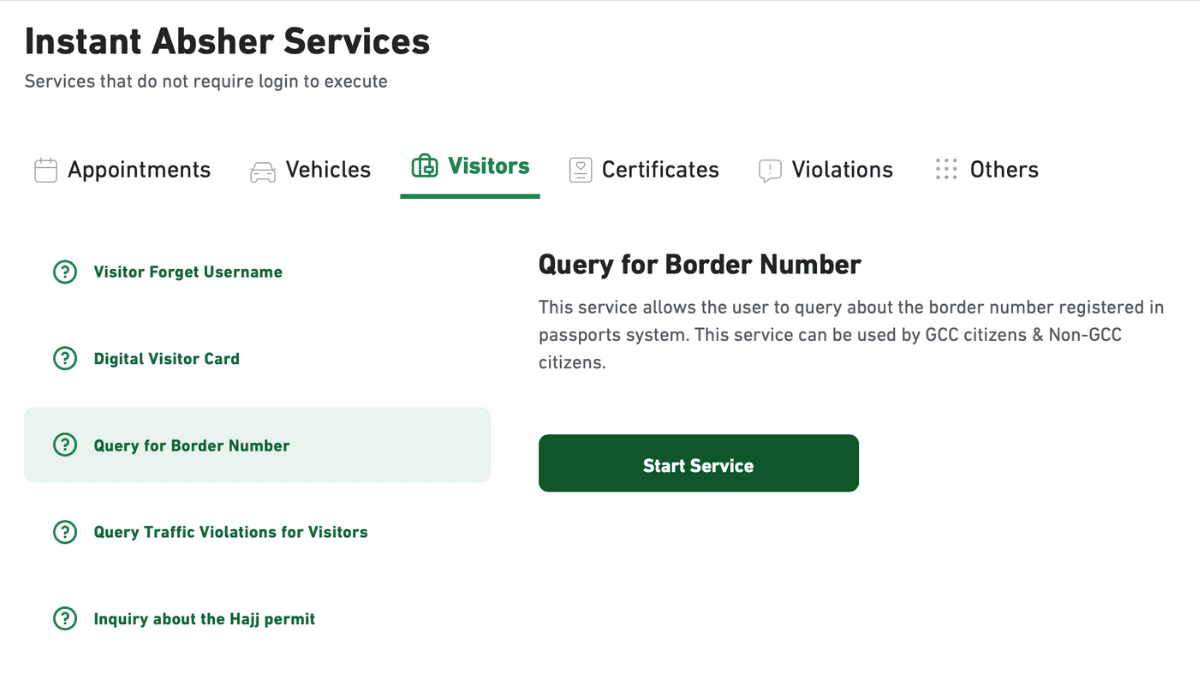
- Under Instant Absher Services, click on “Visitors”
- Select “Query Border Number” and click Start Service
- Choose your category:
- Pilgrim — for those on Hajj or Umrah visas
- GCC Citizen — for nationals of Gulf countries
- Non-GCC Citizen — for all other expatriates (select this if you hold an Indian, Pakistani, Filipino, or other non-GCC passport)
- Enter your Visa Number (printed on your visa document)
- Enter your Visa Issue Date (the date the visa was issued, not the entry date)
- Type the image verification code (CAPTCHA)
- Click “Inquire”
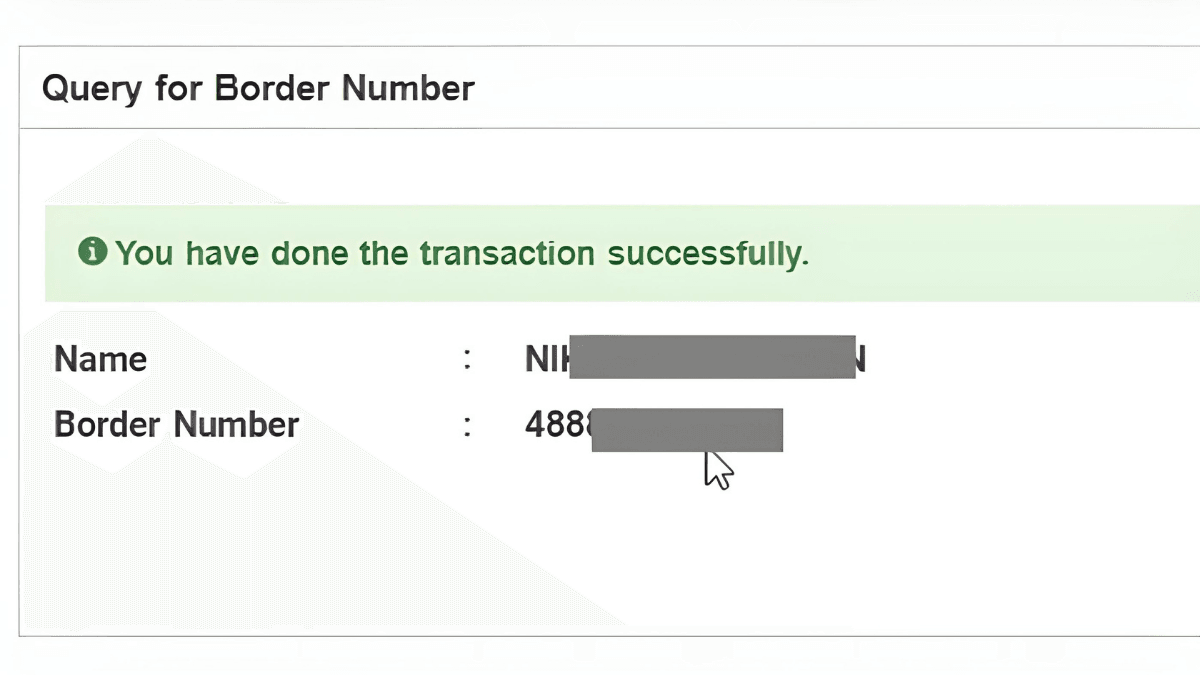
If the system has updated your entry, your name and border number will appear on screen immediately.
Method 2: Check Border Number via Absher Account (For Residents)
If you already have an Absher account and your Iqama has been issued, you can find your border number — and your dependents’ border numbers — by logging in.
For Your Own Border Number
- Log in to your Absher account at absher.sa
- Go to “My Services”
- Navigate to “Passports” or “Resident ID Services”
- Your border number will be displayed alongside your residency information
For Dependent Family Members
- Log in to Absher
- Click on “Family Members”
- Select “Resident ID Services”
- Choose the dependent you want to check
- Their border number will be listed with their details
This method is especially useful when adding a newborn to your family file or processing an Iqama for a newly arrived family member.
Troubleshooting: “Sorry, No Border Number Found”
This is the most common frustration for new arrivals. If you see this error message on Absher, here are the most likely reasons:
1. Incorrect Visa Number or Issue Date
Double-check that you’re entering the visa number exactly as printed on your visa — including any leading zeros. The issue date should be the date the visa was stamped, not your date of arrival.
2. System Not Yet Updated
Border entry records are typically updated within 24 to 48 hours of your arrival. If you’ve just landed, give it a day and try again. During peak travel seasons (Hajj, Eid holidays), delays may be longer.
3. Wrong Category Selected
Make sure you’ve selected the right option — Pilgrim, GCC Citizen, or Non-GCC Citizen. Choosing the wrong one will return no results even with correct details.
4. Iqama Already Issued
Once your Iqama is processed, the visitor query on Absher may no longer display your border number. In this case, log into your Absher account or check your Iqama card directly.
5. Technical Issues
Absher undergoes scheduled maintenance, usually during off-peak hours. If the service is unavailable, try again after a few hours. The system is generally available 24/7 except during maintenance windows.
If none of the above resolves the issue, you can contact Jawazat (General Directorate of Passports) for assistance through their official helpline or visit the nearest Jawazat office with your passport and visa documents.
Border Number vs. Iqama Number: What’s the Difference?
Many expats confuse these two, so here’s a quick clarification:
| Feature | Border Number | Iqama Number |
|---|
If you’ve just arrived and the number isn’t showing yet, wait 24–48 hours and try again before worrying. It’s a very common experience for new arrivals and usually resolves on its own.
For anything that still doesn’t resolve after that window, reach out directly to Jawazat — they’re the authoritative source for all border entry records in the Kingdom.
More in this guide
- Jawazat Clarifies the Conditions for Electronic Authorization through Absher. — Saudi Jawazat clarifies the conditions and services available under electronic authorization through the Absher platform
- Top-Selling Cars in Saudi Arabia in Q1 2026 — Toyota Yaris led Saudi Arabia’s best-selling cars in Q1 2026, while Toyota remained the Kingdom’s top car brand
- Saudi Arabia Raises BNPL Limit to SAR 10,000 — But Not Everyone Will Get It — Saudi Arabia has raised the maximum BNPL financing limit to SAR 10,000, but not every customer will qualify for the full amount
- How to Correct Your Name on Iqama: A Step-by-Step Guide — Learn how to easily correct or change your name on your Iqama with our step-by-step guide, whether the error is in Arabic or English
- How to Change Mobile Number in SNB AlAhli Bank — Here is How to Change your Registered Mobile Number with your SNB AlAhli Bank Account via SNB Self Service Kiosk or SNB ATM
- Iqama Red Green Check: Nitaqat Status 2026 — See what each color means in 2026