How to Check Your Saudi Visa Status in 2025
Applied for a Saudi visa in 2025? Here’s a simple guide to check your visa status online using your passport or application number.
If you’ve applied for a Saudi visa—whether it’s a work visa, family visit visa, tourist visa, Umrah visa, or any other type—it’s important to keep track of your application. Luckily, checking your Saudi visa status is quick and easy online. Here’s how you can do it step by step using your passport or application number.
Step-by-Step: How to Track Your Saudi Visa
1. Go to the KSAVisa Portal
Go to the official KSAVisa website: https://ksavisa.sa/
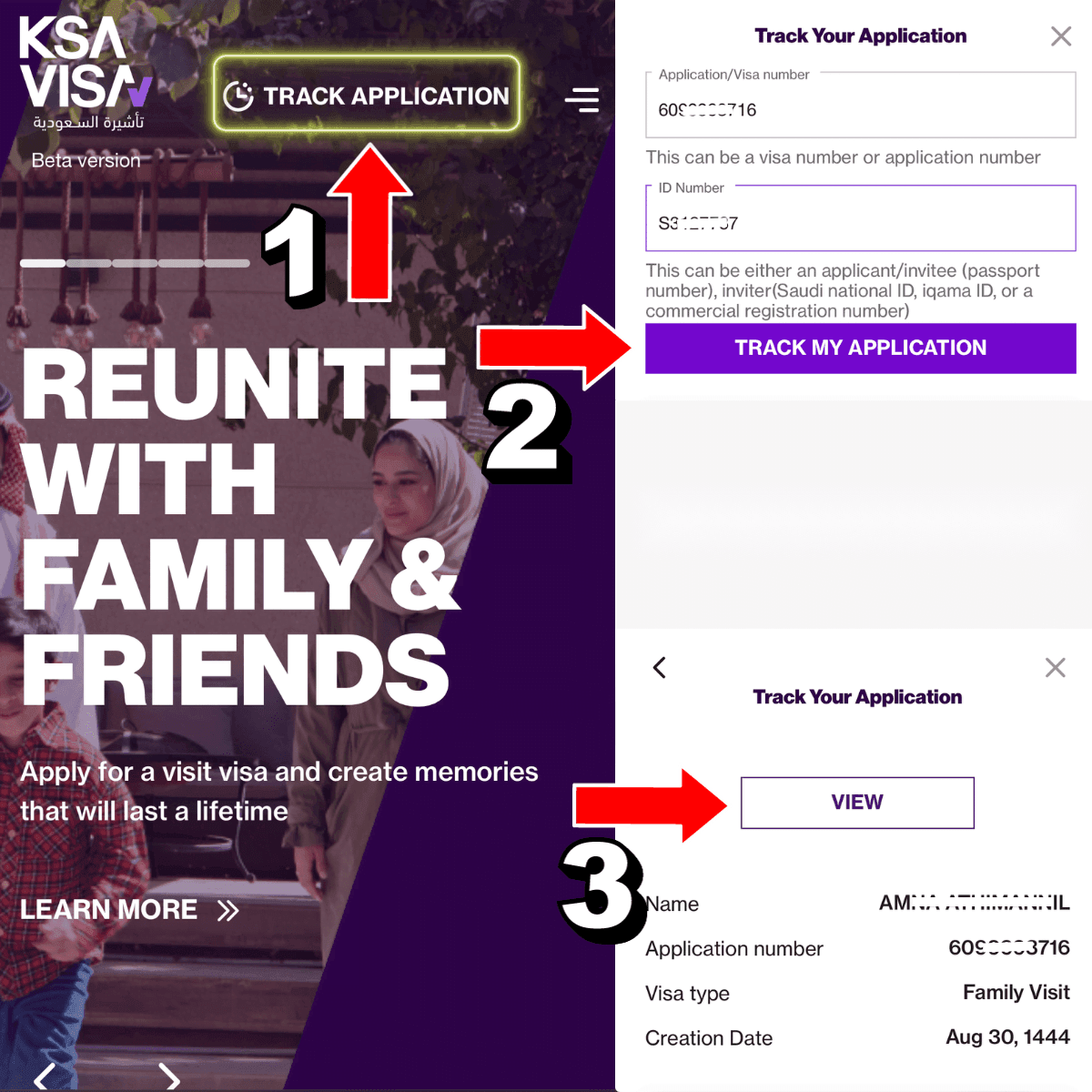
Step 2: Click on “Track Application”
On the homepage, find and click the “Track Application” option. This is usually available at the top of the page.
Also Read:
How to Apply for a Saudi E-Visa as a GCC Resident: Complete Step-by-Step Guide
Step 3: Enter your application number
In the first field, enter your visa application number. This number is provided when the visa application is submitted—either by you or your sponsor.
Step 4: Enter your passport or ID number
In the next field, enter one of the following ID numbers:
- Passport number of the visa applicant
- Sponsor’s Iqama number
- Sponsor’s Saudi National ID
- Commercial Registration (CR) number linked to the application
Step 5: Click “Track My Application”
Once all fields are filled, click the “Track My Application” button.
Also Read:
How to Check Your Saudi Arabia Work Visa Status and Details
Step 6: Check your visa status
The system will display your visa information, including:
- Your name
- Visa application number
- Visa type
- Issue date
Step 7: Download or print your visa
If your visa has been issued, you can click “View” to open it. From there, you can download or print a copy for your records.
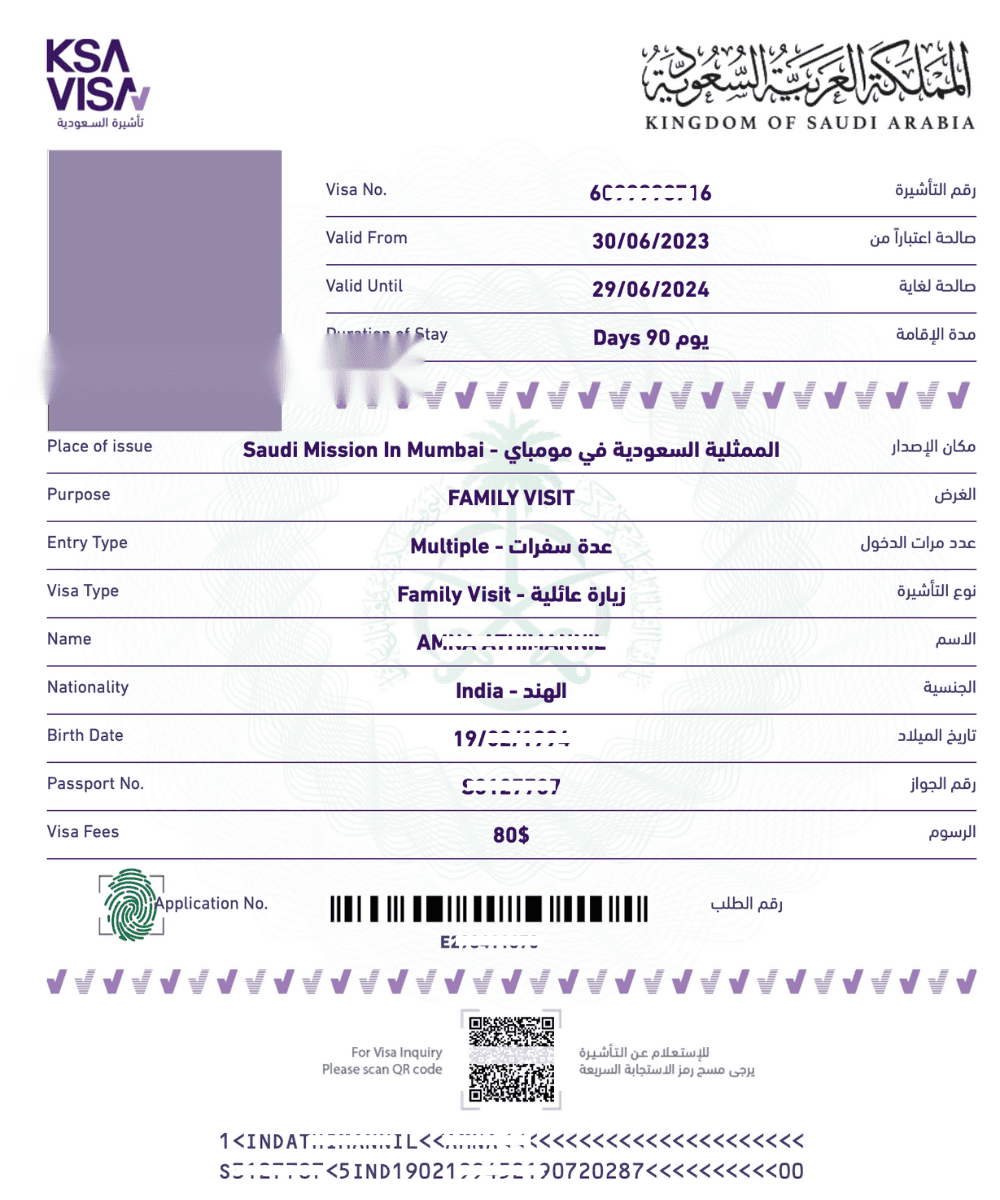
Tracking your Saudi visa status in 2025 is simple with the KSAVisa portal. Just use your application number and passport (or ID) to stay updated on your visa process.
More in this guide
- Jawazat clarifies procedure to renew expired final exit visa — Avoid penalties and ensure valid Iqama status
- Jawazat: Final Exit Visa Requires 30-Day Iqama Validity — Learn the key rules for issuing the visa
- Saudi Arabia Executes 4 Expats in Murder and Drug Smuggling Cases — Saudi Arabia executed four expats in separate murder and drug smuggling cases in Makkah and Asir
- Al Rajhi Mobile Registration: Your Complete Guide — Learn how to activate the app
- How to Register for Al Rajhi Phone Banking for the First Time — How to register in Al Rajhi phone banking and what is the Al Rajhi phone banking number and what are the features of this service
- Saudi Tourist Visa: Everything You Need to Know — Plan your trip now!