How To Print Your Exit/Reentry Visa
This article will walk you through the process of how to print exit reentry visas of yours as well as your family members online.
There are times when you need to print your exit re-entry visa copy, and you’re not sure how to go about doing so. In this article, we’ll walk you through the steps on how to do that online.
Should I keep a printed copy of exit-re/entry visa?
It is not necessary to carry a copy of your exit re-entry visa while exiting the kingdom since the Jawazat operations are online, and immigration officers can easily verify it online. However, immigration authorities outside Saudi Arabia may ask you for a copy of your visa, and it is a good idea to keep a visa printout with you just in case.
Also Read: How to Check Visa Validity on Muqeem Portal
How to get an Exit Reentry print from the Absher portal
As an expat worker in Saudi Arabia, you won’t be able to view your exit re-entry copy on your Absher account. You’ll have to ask your sponsor for it. However, you can print your dependents’ exit reentry visas from Absher by following these steps:
- Login to your Absher account: https://www.absher.sa/
- Select the “Services” tab under Family Members.
- Then select “Visa Services” from the list of options.
- Click on the “Next” button.
- Locate the dependent whose exit reentry visa you wish to print and click on “More Details“.
- Then click on the “Print Visa” button.
- Your dependent’s exit reentry visa will be generated and you can print it out.
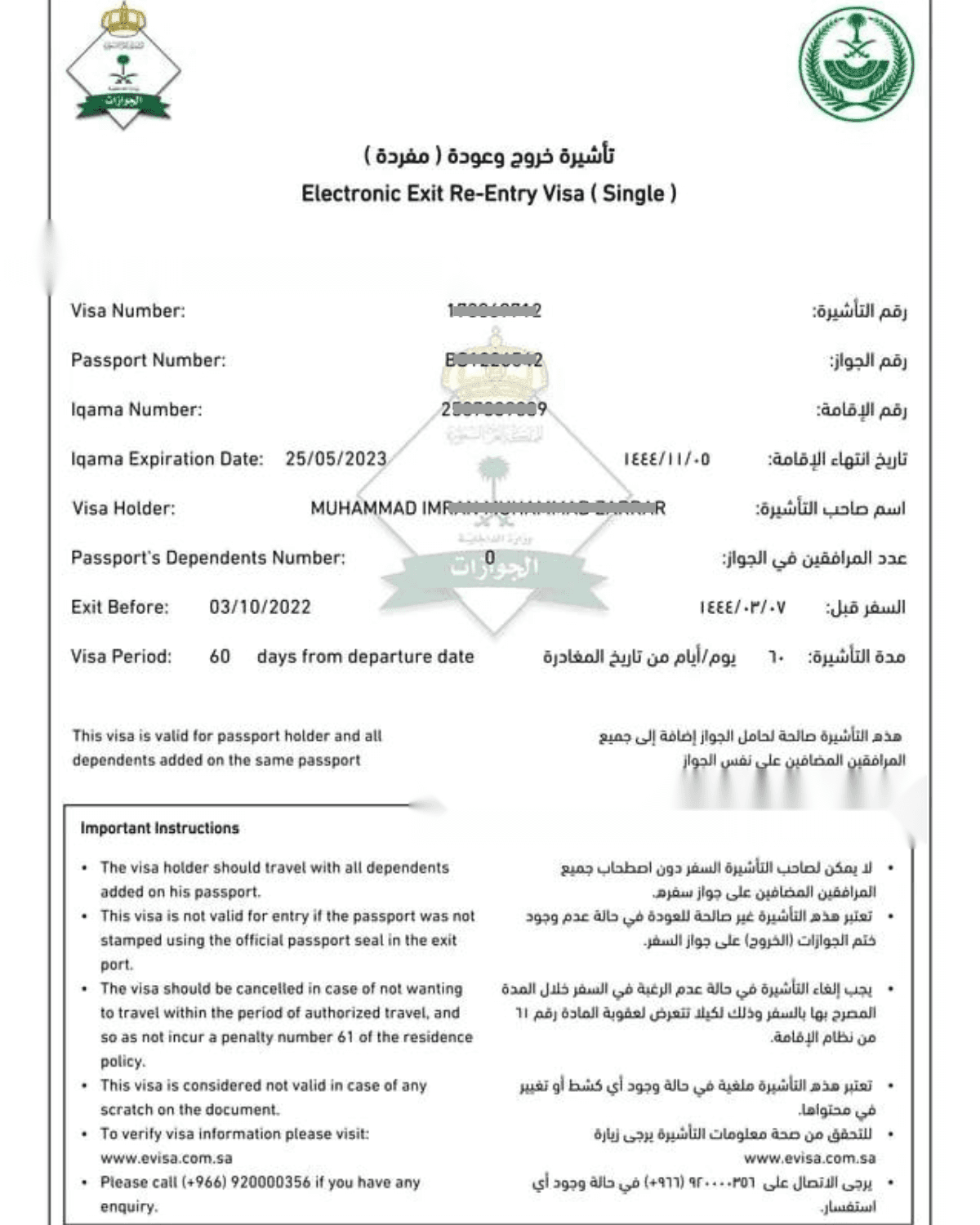
How to print an exit re-entry visa without Absher
Apart from the method mentioned above, you have the option to view and obtain a printout of your exit reentry visa summary, as well as those of your dependents, by using the Muqeem portal. The following steps will guide you on how to do this:
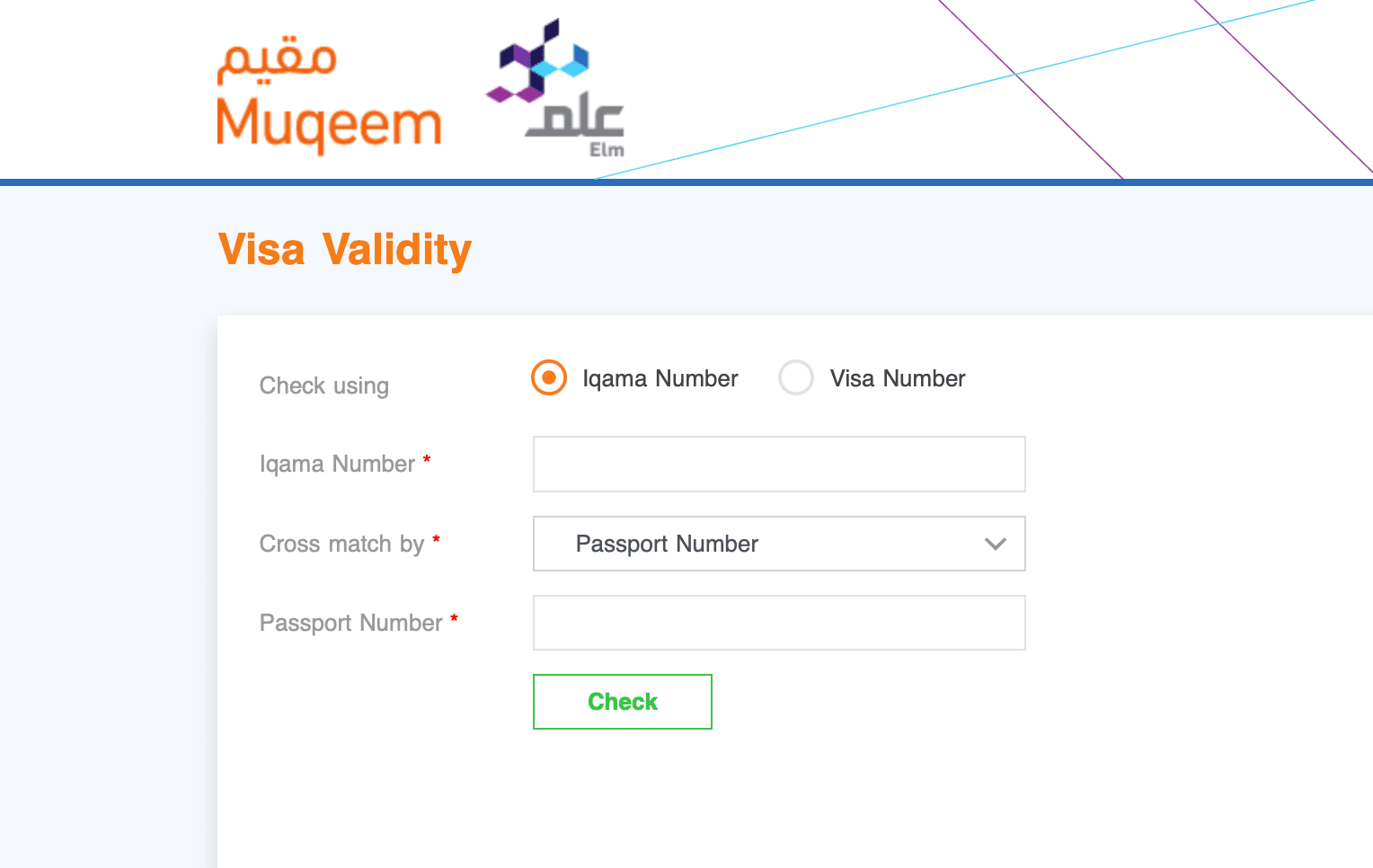
- Go to the Muqeem portal: https://muqeem.sa/#/visa-validity/check
- Select “English”.
- Choose Iqama Number or Visa Number.
- If you choose the Iqama number, enter your Iqama number.
- Then select “Passport Number” or any other option from the drop-down list and enter its value.
- Finally, click on the “Check” button to get a generated summary of your exit reentry visa.
- You can take a screenshot or print the page to show immigration officials.
Conclusion
If you are leaving or returning to Saudi Arabia and need a copy of your exit/reentry visa, you can now print it online from either the Absher or Muqeem portal. The process is quick and easy. By following the steps outlined in this guide, you should be able to print your exit/reentry visa without any difficulties.
More in this guide
- Jawazat clarifies procedure to renew expired final exit visa — Avoid penalties and ensure valid Iqama status
- Jawazat: Final Exit Visa Requires 30-Day Iqama Validity — Learn the key rules for issuing the visa
- Saudi Arabia Executes 4 Expats in Murder and Drug Smuggling Cases — Saudi Arabia executed four expats in separate murder and drug smuggling cases in Makkah and Asir
- Al Rajhi Mobile Registration: Your Complete Guide — Learn how to activate the app
- How to Register for Al Rajhi Phone Banking for the First Time — How to register in Al Rajhi phone banking and what is the Al Rajhi phone banking number and what are the features of this service
- Saudi Tourist Visa: Everything You Need to Know — Plan your trip now!