How to Use Al Rajhi Bank's Kiosk (ASRAA)
Discover easy banking with Al Rajhi Bank's ASRAA Kiosk: Learn how to renew cards, print statements, and transfer funds conveniently.
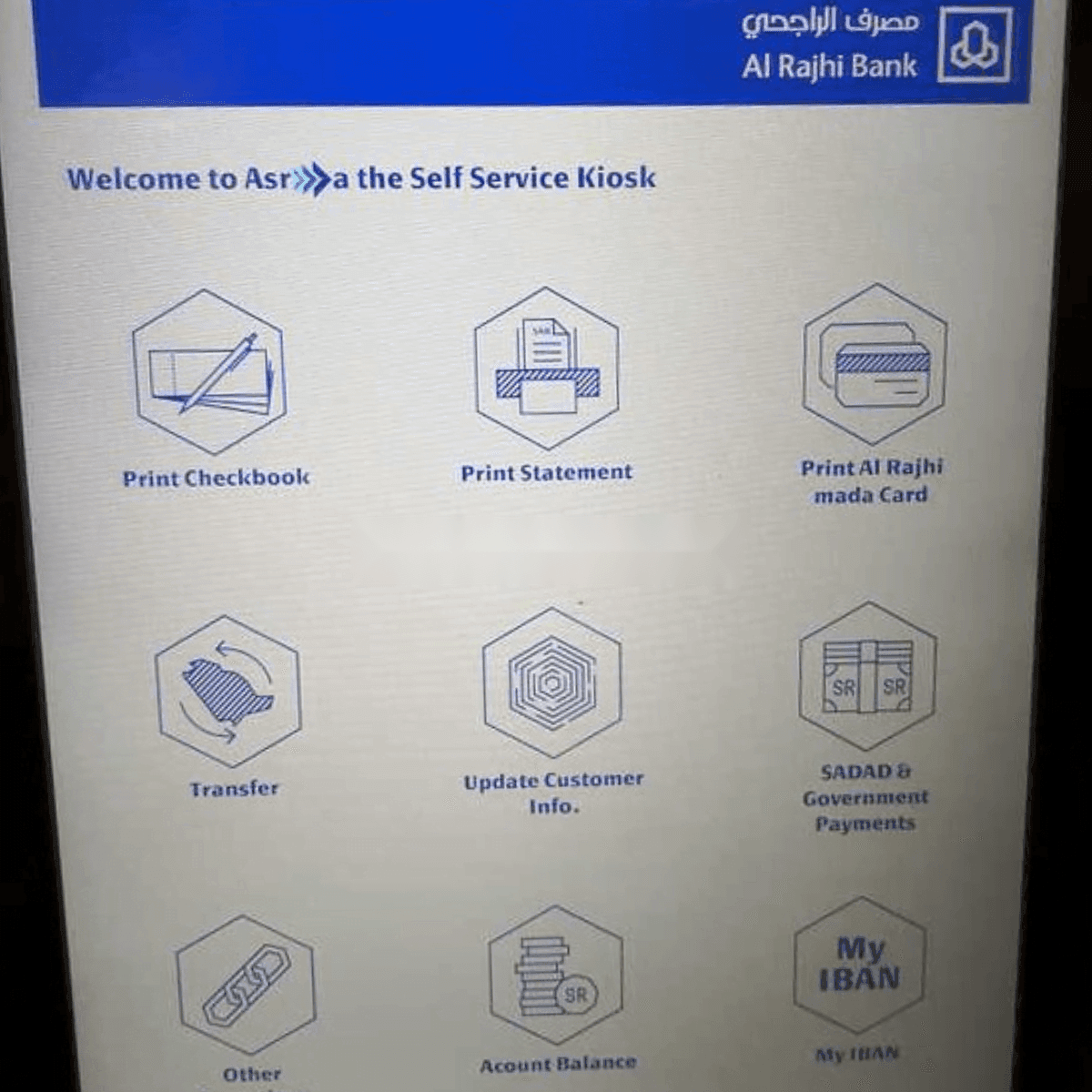
Al Rajhi Bank’s Self Service Kiosk, known as ASRAA, is a convenient and innovative solution for various banking needs that aims to simplify the customer experience and move transactions to digital channels. Here are the main features and instructions on how to use ASRAA:
Main Features of ASRAA
- Card Services: Instantly renew your existing ATM card or print a new one using fingerprint technology. This service allows you to choose the name printed on the card, and you can avail of it at any time without the need for an old card.
- Checkbook Printing: Print an instant checkbook for your account without waiting.
- Account Statements: Obtain a printout of your 6-month account statement directly from the kiosk.
- IBAN Number: You can print your IBAN number or have it sent to your mobile phone via text message.
- Bill Payments: Conduct bill payments directly from the kiosk.
- Transfers: Make account transfers and perform other transactions available at ATMs except for cash withdrawals and deposits.
- Customer Information: Update your ID or Iqama expiry date through the kiosk.
How to Use ASRAA
- Renewing or Printing Cards: Simply insert your old ATM card or use your fingerprint to print a new card. Follow the on-screen instructions, which will guide you through the process, including any necessary authentication via SMS.
- Printing Checkbooks and Statements: Select the corresponding option on the main screen and authenticate if required. The kiosk will print out the requested items.
- Updating Personal Information: If you need to update your personal information, you can navigate through the menu to find the ‘Update Customer Info’ section and follow the prompts.
- Making Transfers and Payments: For transfers and payments, select the appropriate option and enter the required details to proceed with the transaction.
It’s worth noting that Al Rajhi Bank’s ASRAA kiosks are designed to offer convenience and security, making use of biometric verification to ensure that banking transactions are secure and user-friendly.These kiosks are located in various Al Rajhi Bank branches across the Kingdom, providing services around the clock.
More in this guide
- How to Add Your Credit/Debit Card to Apple Pay — Saudi Arabia is one of the few countries that Apple Pay can be used in. In this blog, we explain how to add your bank card to Apple Pay
- Al Rajhi Bank Mada Card: How to Renew and Print at Kiosk — This article explains how to renew and print your Al Rahji Bank ATM card (mada card) through a self-service kiosk without visiting the branch
- Al Rajhi Bank Credit Cards 2023 — From rewards programs to flexible repayment..
- Saudi Post's Awfar Service: Everything You Need to Know — Awfar is a service provided by Saudi Post for consumers who want their products delivered to their preferred address
- Best 10 Residential Compounds in Riyadh — Learn about the top compounds in the city, their features and amenities
- Best Credit Cards for Expatriates in Saudi Arabia 2026: Complete Guide — Compare top cards, eligibility requirements, benefits, and how to apply as an expat