How To Activate Your Zain SIM In Saudi Arabia Online
Struggling with activating your Zain SIM in Saudi Arabia? Learn step-by-step instructions to activate your SIM online quickly and easily.
Are you having trouble activating your Zain SIM card in Saudi Arabia? Activating a SIM card can sometimes be a confusing process, especially if you are not familiar with the steps involved. In this article, we will show how to activate your Zain SIM card in Saudi Arabia, so you can start using your phone as soon as possible.
How to Activate a New Zain SIM Online
If you have a new Zain sim and would like to activate it online, all you need to do is visit the Zain website and enter your new sim serial number and PUK code. Once you’ve entered that information, you need to validate it, and your sim will be activated in no time. Here are the steps:
- Visit Zain’s new activation page: https://self.sa.zain.com/activate/
- Enter your new SIM serial number in the appropriate field.
- Enter your PUK 1 code in the following field. (A Personal Unlock Key (PUK) code can be found on your SIM card package)
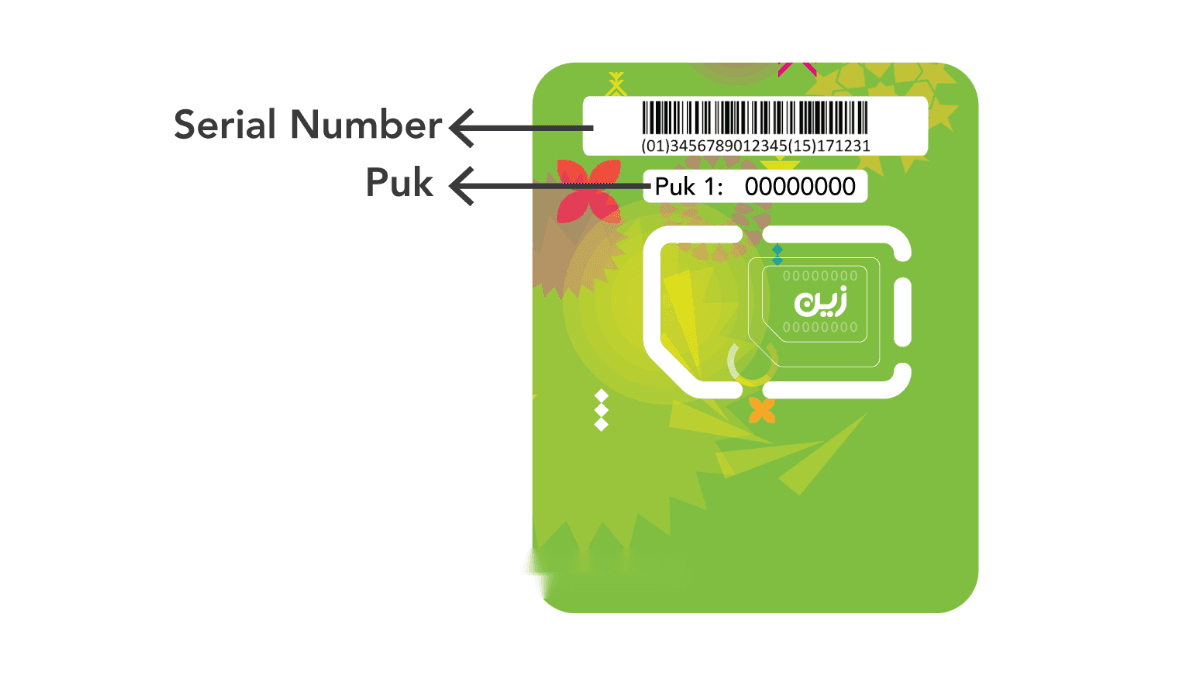
- Click on the “Verify Now” button.
- You will see your personal data, such as your name, Iqama number, nationality, and contact number. Double-check this information, then check the box indicating that you agree to the terms, and then click the button “Press to Validate and Continue.”
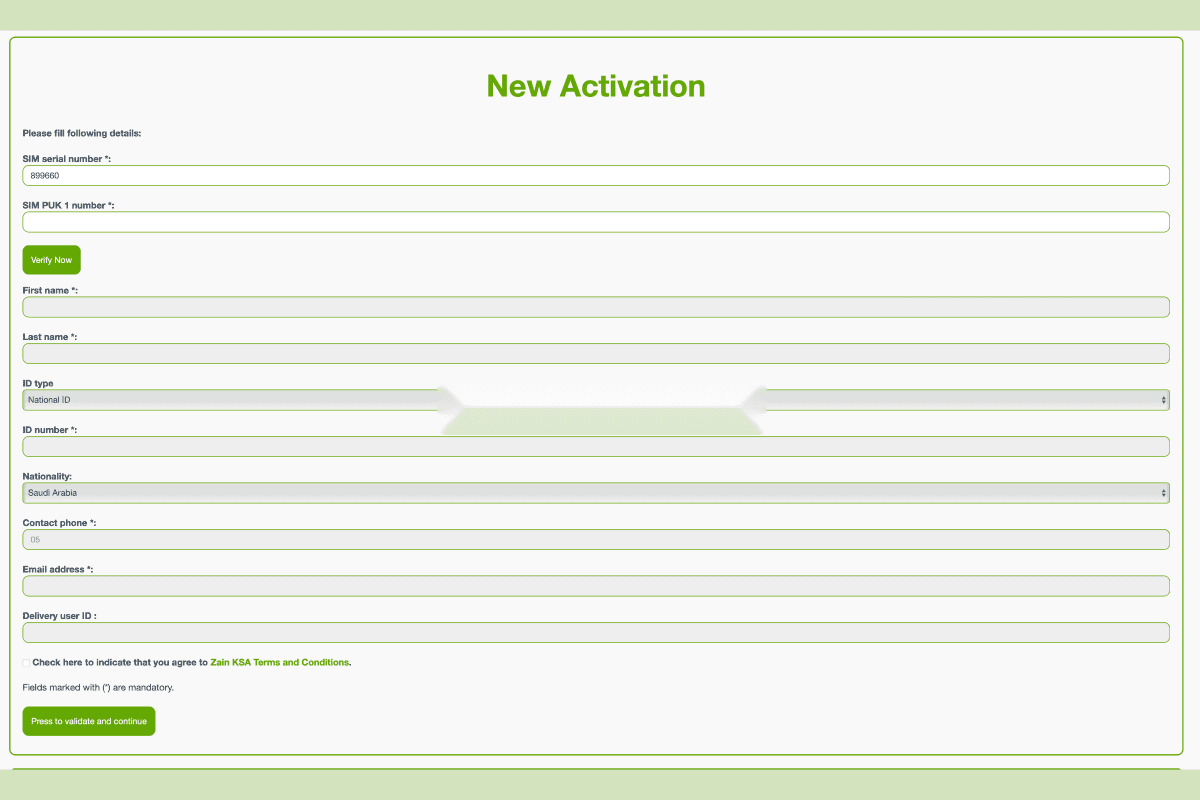
After that, follow the prompts on the screen to complete the activation process.
Conclusion
Activating your Zain SIM card in Saudi Arabia is a simple process. All you need to do is follow the instructions on the Zain website, and you will be up and running in no time. Once your SIM is activated, you’ll be able to enjoy all the benefits that come with being a Zain customer in Saudi Arabia.
More in this guide
- How Can You Get a Local Number on Your International SIM in KSA — Get a local number on your international SIM in Saudi with STC's easy service, making your stay connected and hassle-free
- APN Settings Saudi Arabia: STC, Mobily, Zain, Virgin & Lebara — Get Saudi APN settings for STC, Mobily, Zain, Virgin, Lebara, Friendi and other mobile networks to fix internet access
- Home Internet in Saudi Arabia 2026: Fiber vs 5G Packages & Prices Compared — Fiber & 5G plans from STC, Mobily, Zain, Go & Salam
- How to Check How Many SIMs Are Linked to Your Iqama in 2026 — Learn how to check how many sim cards are registered on your Iqama number through the official Mutasilportal using your iqama number
- How to Check Your Saudi SIM Number Using USSD Codes — Find out how to retrieve your mobile number quickly
- How to Check Your Mobile SIM Number in Saudi Arabia — Learn how to quickly check your mobile SIM number in Saudi Arabia using USSD codes for all networks, including STC, Mobily, and Zain