How To Find Your Building Number In Saudi Arabia
Learn how to find your building number, addition number and short address online in Saudi Arabia using official website.
Knowing your building number is important for expatriates living in Saudi Arabia. It is required for national address registration, which is a mandatory residence address linked to your ID number. This registration is necessary to access various services, including government services and opening a bank account. You can easily find your building number using the National Address Locator Map. Here’s how you can do it.
How to find your building number of current location?
To find your building number or additional number for your current location, just follow these steps:
- Go to the national address locator map: https://maps.splonline.com.sa
- Allow the site to access your location, and it will show you the map of your current location.
- Zoom in on the map until you see the short address, and select your one.
- You will see your building number, additional number or secondary number, and short address.
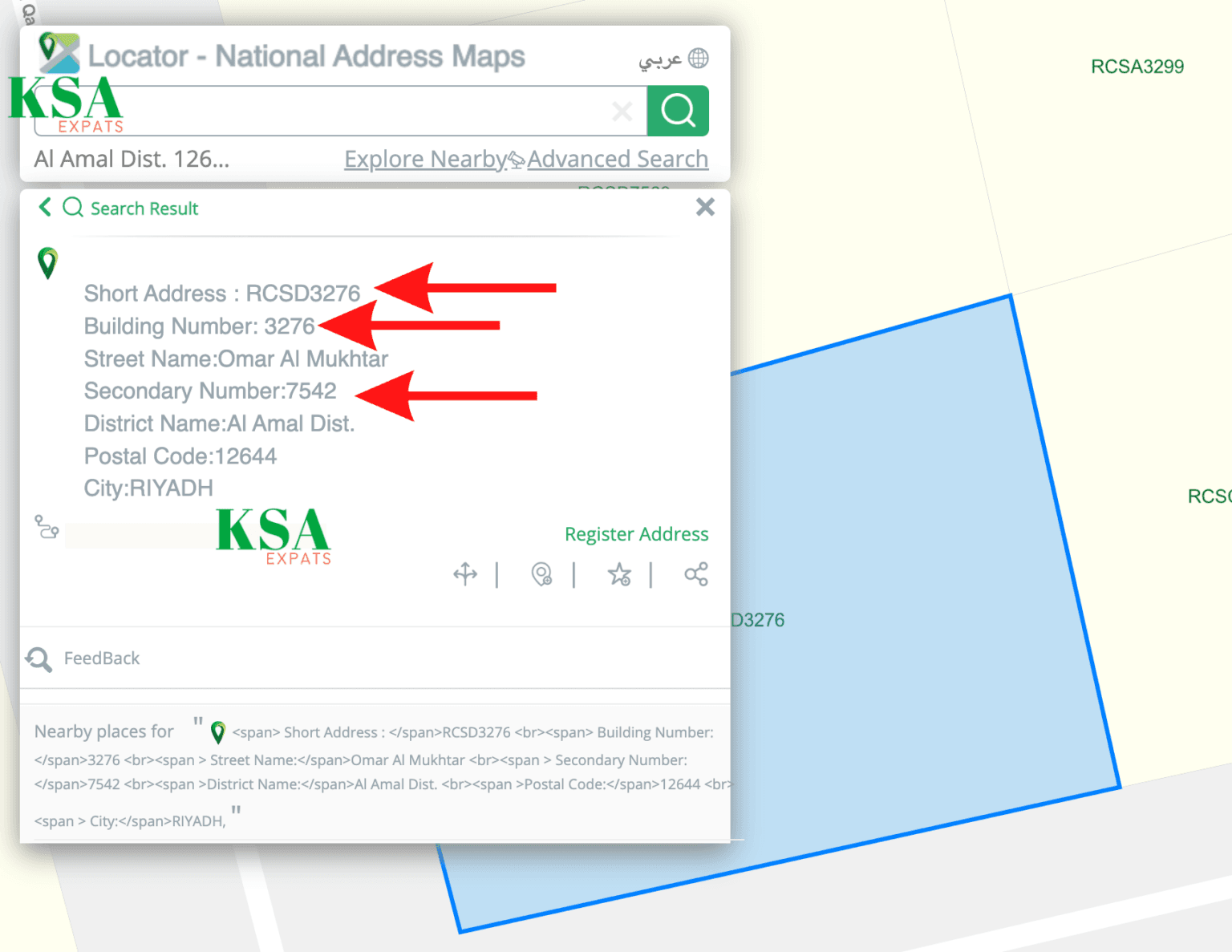
How to find the building number of a different place
To find the building number of a location different from your current one, follow these steps:
- Go to the national address locator map: https://maps.splonline.com.sa
- Select “English.”
- Select the “Advanced Search” option from the top menu.
- Then select “Search By Address.”
- Choose the region, city and district from the drop-down menu.
- Zoom in on the map to find your location.
Once you’ve found your building, click on it to view the building number and other details. If the map only shows a short address, like RQJB4117, the building number will be the last four digits: 4117.
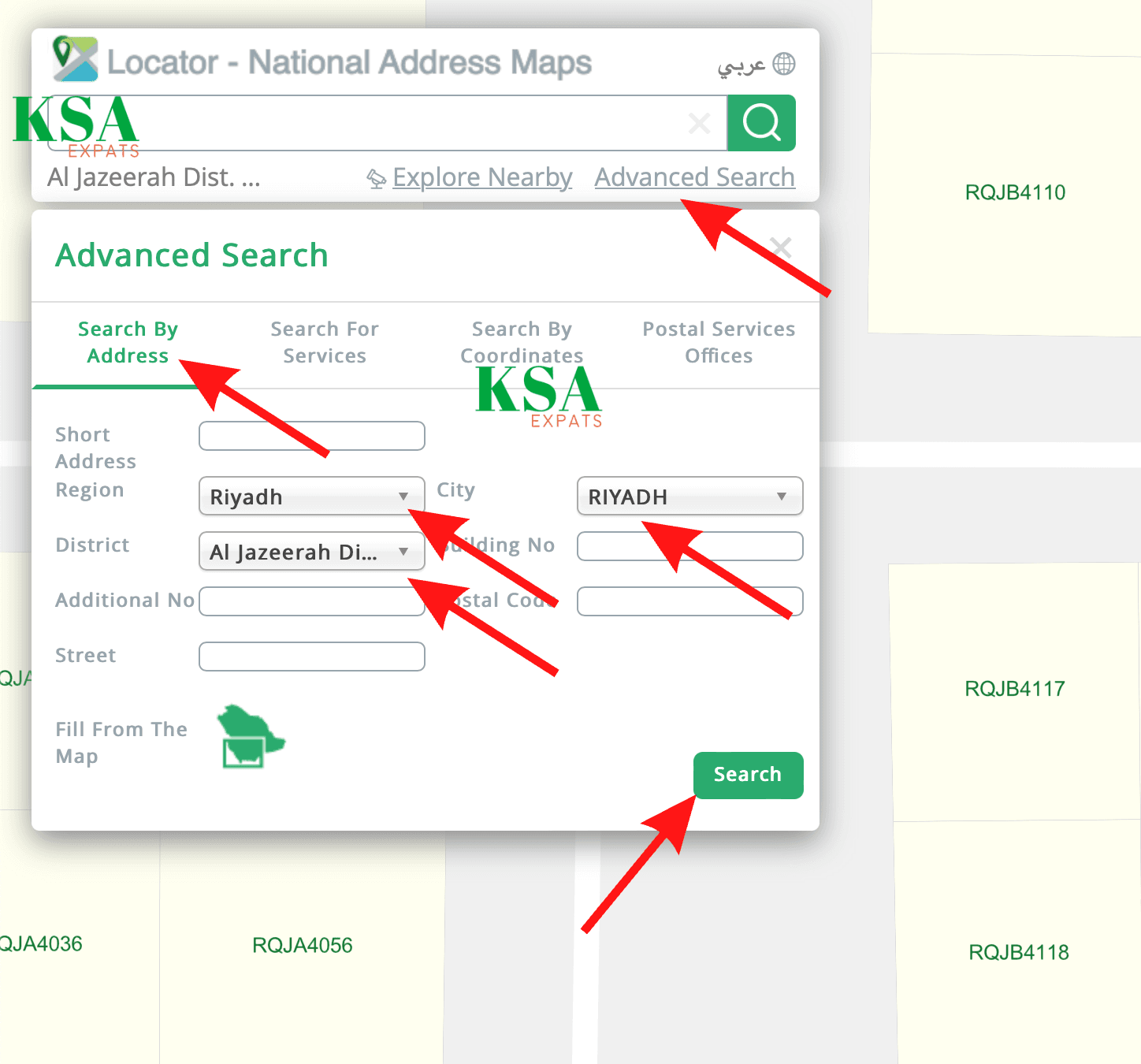
This way, you can easily find your building number, additional number, and short address. With these details, you can complete your national address registration smoothly.
More in this guide
- How to Add Your Credit/Debit Card to Apple Pay — Saudi Arabia is one of the few countries that Apple Pay can be used in. In this blog, we explain how to add your bank card to Apple Pay
- Al Rajhi Bank Mada Card: How to Renew and Print at Kiosk — This article explains how to renew and print your Al Rahji Bank ATM card (mada card) through a self-service kiosk without visiting the branch
- Al Rajhi Bank Credit Cards 2023 — From rewards programs to flexible repayment..
- Saudi Post's Awfar Service: Everything You Need to Know — Awfar is a service provided by Saudi Post for consumers who want their products delivered to their preferred address
- Best 10 Residential Compounds in Riyadh — Learn about the top compounds in the city, their features and amenities
- Best Credit Cards for Expatriates in Saudi Arabia 2026: Complete Guide — Compare top cards, eligibility requirements, benefits, and how to apply as an expat