How to Check Your Electricity Bill in Saudi Arabia
Complete guide to checking your Saudi Electricity Company (SEC) bill in 2025. Learn WhatsApp, online, and payment methods.
As a resident in Saudi Arabia, it’s useful to know how to check your monthly electricity bill. The Saudi Electricity Company (SEC) offers several convenient ways to check your bill amount — both online and via mobile platforms. In this guide, we explain two simple methods to check your electricity bill: through WhatsApp and the SEC website.
Method 1: Check your bill via WhatsApp
One of the fastest ways to check your electricity bill is by using WhatsApp. Here’s how:
- Open WhatsApp and send a “Hi” message to the official SEC number: +966 920001100
- You will receive a menu of available services. Select “Bills and Accounts”
- From the next menu, choose “Show My Bill”
- Enter your 11-digit electricity account number when prompted
- SEC will instantly reply with your bill amount
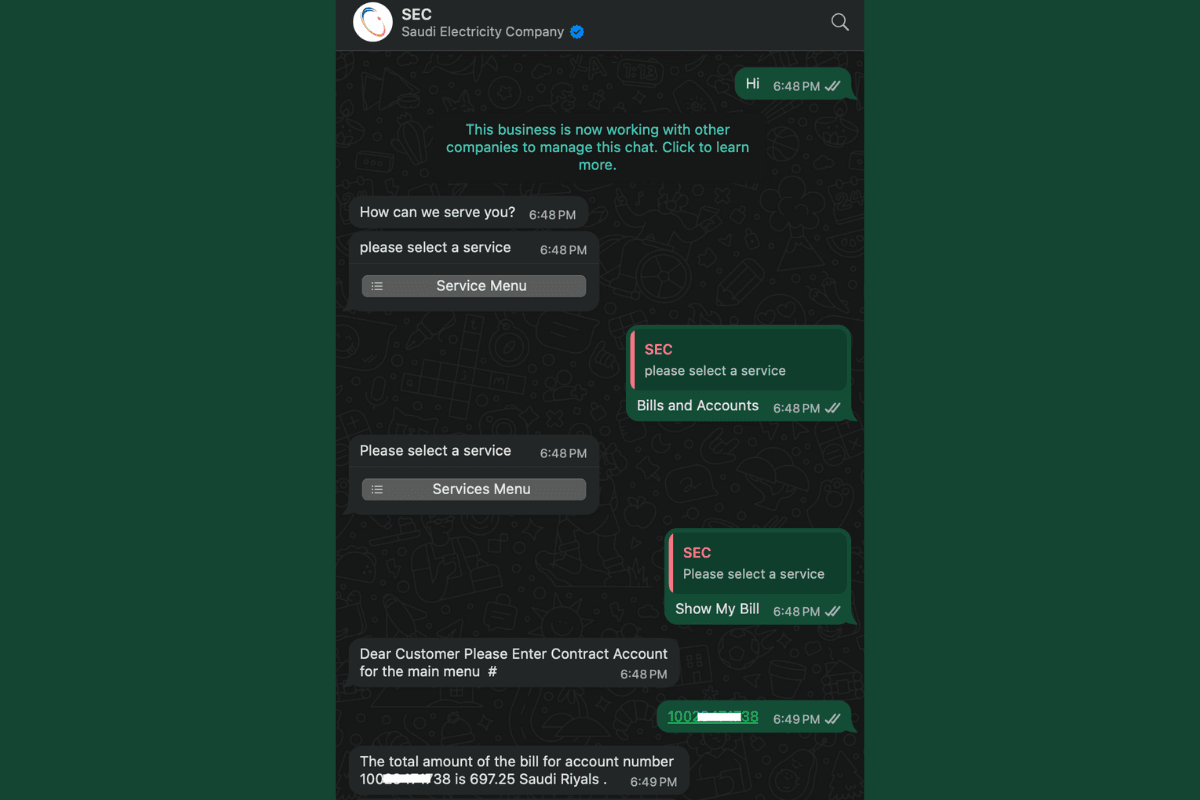
This method is fast, easy, and available 24/7.
Method 2: Check your bill on the SEC website
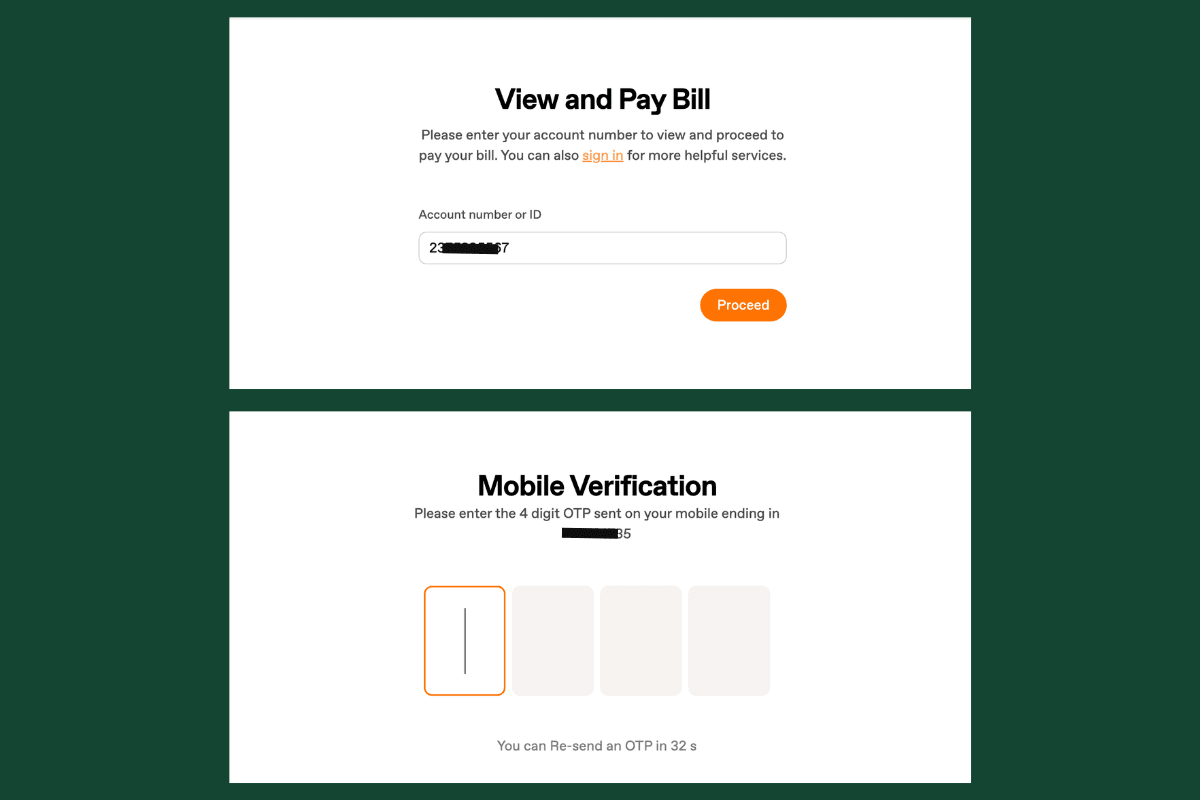
You can also view your bill online using the SEC’s Guest View Bill feature. Follow these steps:
Also Read:
How to Check Your Saudi Water Bill Amount in 2025
- Visit the official page: https://www.se.com.sa/en/GuestViewBill
- Enter your Iqama number that is linked to your electricity account
- An OTP (One-Time Password) will be sent to your registered mobile number
- Enter the OTP to continue
- Once verified, your electricity bill amount will be displayed. You’ll also have the option to pay your bill online using your bank card
Alternative payment options
In addition to the above methods, you can also pay your SEC electricity bill using:
- SADAD service via your bank’s online portal
- ATM machines using the SADAD biller code for SEC
Summary
It’s now quick and convenient to check your electricity bill with the Saudi Electricity Company (SEC). Whether you use WhatsApp or the official SEC website, both options are simple to use and safe. Just make sure your mobile number is up to date to receive OTPs and bill notifications without any trouble.
More in this guide
- How to Add Your Credit/Debit Card to Apple Pay — Saudi Arabia is one of the few countries that Apple Pay can be used in. In this blog, we explain how to add your bank card to Apple Pay
- Al Rajhi Bank Mada Card: How to Renew and Print at Kiosk — This article explains how to renew and print your Al Rahji Bank ATM card (mada card) through a self-service kiosk without visiting the branch
- Al Rajhi Bank Credit Cards 2023 — From rewards programs to flexible repayment..
- Saudi Post's Awfar Service: Everything You Need to Know — Awfar is a service provided by Saudi Post for consumers who want their products delivered to their preferred address
- Best 10 Residential Compounds in Riyadh — Learn about the top compounds in the city, their features and amenities
- Best Credit Cards for Expatriates in Saudi Arabia 2026: Complete Guide — Compare top cards, eligibility requirements, benefits, and how to apply as an expat